Camera image quality describes the technical qualities of a photograph, including detail, tonal range, color rendering, noise, and optical clarity. These qualities are shaped by the complete imaging system, not by megapixel count alone. Light, composition, timing, and creative intent ultimately determine whether the result feels compelling.
This guide explains how the main technical factors appear in the final image, where specifications provide useful guidance, and where they require context.
What Determines Camera Image Quality
Seven major factors provide a useful framework for understanding camera image quality: sensor size, resolution, lens performance, dynamic range, ISO and noise, color rendering, and recording format. No single factor fully explains the result.
A larger sensor cannot compensate for poor focus. High resolution cannot restore tonal information that was never captured. Accurate color cannot make camera movement disappear. The final photograph reflects how the lens, sensor, exposure, processing, and shooting technique work together.
Image quality is best understood as a chain from light entering the lens to the finished file. The following sections examine each link, beginning with the specification that is most often considered without enough context.
Do More Megapixels Really Mean Better Quality
More megapixels increase the potential amount of spatial detail a camera can record. They can also provide greater freedom for cropping and large output. They do not automatically improve dynamic range, color, noise performance, focus, or composition.
Why More Megapixels May Not Improve the Final Image
Each photosite converts incoming photons into an electrical signal. On a sensor of a fixed size, increasing the photosite count generally reduces the area of each photosite. Under comparable exposure conditions, a smaller photosite usually receives fewer photons individually, which can reduce per-pixel signal-to-noise performance.
Modern cameras can offset part of that limitation through improved sensor design, pixel binning, multi-frame processing, noise reduction, and output resizing. Pixel-binned files are commonly produced at a lower resolution than the sensor’s advertised count. The headline number is therefore most useful when considered alongside sensor area, optics, processing, and final output size.
When Megapixels Actually Matter
Resolution becomes valuable when the finished work requires it. Large prints, substantial crops, multiple layouts from one photograph, detailed retouching, and archival documentation can all benefit from a higher pixel count.
Those benefits are most visible when the lens resolves sufficient detail, focus and camera stability preserve it, exposure provides a strong signal, and the final output retains enough of the original resolution.
How Many Megapixels You Actually Need
There is no universal megapixel requirement. For many screen-based uses and moderate-size prints, 12 to 24 megapixels can provide ample resolution. The appropriate number depends on print dimensions, pixel density, viewing distance, cropping, subject detail, and the quality of the original capture.
|
Use |
Approximate pixel requirement |
What it means for you |
|
Social media and screens |
2 to 12 MP |
Platform output and compression usually matter more than very high capture resolution |
|
Prints up to 8 × 10 in at 300 ppi |
About 7 MP |
Well within the range of most current dedicated cameras |
|
Prints around 11 × 14 in at 300 ppi |
About 14 MP |
Additional capture resolution allows more room for cropping and output sharpening |
|
Heavy cropping and 16 × 20 in prints |
About 29 MP at 300 ppi before cropping |
Extra resolution preserves more detail and compositional flexibility |
These figures describe approximate output requirements rather than guaranteed image quality. Paper, viewing distance, sharpening, crop ratio, lens performance, focus, and camera stability all influence the visible result.
Why Sensor Size Matters Alongside Megapixels
Sensor dimensions influence total light collection under comparable framing and exposure conditions. They also affect the focal lengths typically used for a composition and the depth-of-field options available to the photographer. Sensor size is important, but it remains one part of the complete imaging system.
Camera formats are not a simple ranking from poor to good. Each format balances image quality, lens size, portability, speed, cost, and workflow differently.
|
Sensor format |
Common use |
Typical implications for image quality |
|
Phone sensor |
Everyday and computational photography |
Compact and convenient; results depend strongly on optics, exposure, and multi-frame processing |
|
1-inch type |
Premium compact cameras |
More total light-collecting area than most phone sensors, with a compact camera-and-lens system |
|
APS-C |
General-purpose interchangeable-lens cameras |
Strong balance of image quality, lens size, speed, and portability |
|
Full-frame |
Broad professional and enthusiast use |
Larger sensor area can collect more total light than smaller formats at the same framing, shutter speed, and f-number |
|
Medium format |
High-resolution commercial, landscape, and fine-art work |
Large capture area supports high resolution, tonal flexibility, and large-output workflows |
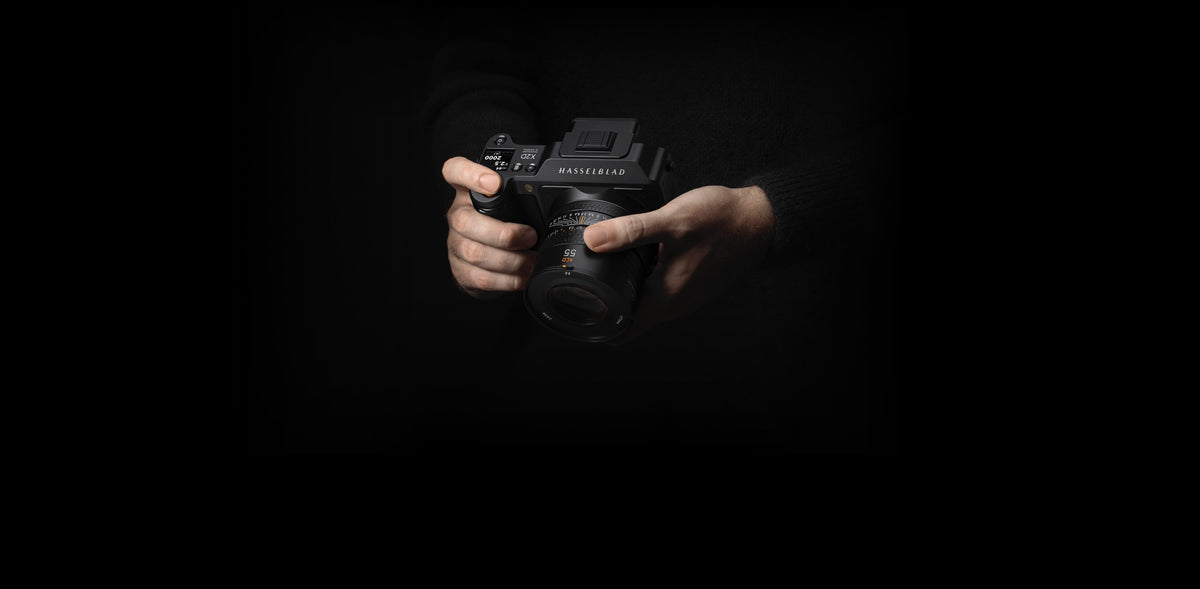
The Hasselblad X2D II 100C uses a 43.8 × 32.9 mm medium format BSI CMOS sensor with 100 megapixels and a 3.76 μm pixel pitch. Compared with much smaller sensor formats, its larger capture area supports high-resolution files with substantial tonal and cropping flexibility. The final result still depends on exposure, lens performance, focus, stabilization, processing, and output size.
[cta: https://store-na.hasselblad.com/products/x2d-ii-100c]
How Lens Quality Affects Image Sharpness
Image sharpness is a system characteristic. The lens determines how much optical detail and contrast reach the sensor, while sensor sampling, focus accuracy, camera movement, aperture, processing, and output size determine how clearly that information appears in the finished photograph.
A high-resolution sensor therefore benefits from optics designed to support fine-detail capture. The Hasselblad XCD 2,8-4/35-100E uses 16 elements in 13 groups, including three aspherical elements and five ED elements. Its actual 36–97 mm focal-length range provides an approximately 28–76 mm full-frame-equivalent angle of view, covering wide-angle, standard, and medium-telephoto perspectives. The lens is designed to support high-resolution performance across a versatile zoom range, while its f/2.8 maximum aperture at the wide end provides additional exposure and depth-of-field flexibility.
[cta: https://store-na.hasselblad.com/products/xcd-2-8-4-35-100e]
The principle applies to every camera system: optical performance, precise focus, suitable aperture, and stable technique must support the resolution of the sensor.
Dynamic Range in Photography
Dynamic range describes the span of tonal information a camera can record between the noise floor in the shadows and the clipping point in the highlights. It is commonly expressed in stops, although measured results vary with ISO, test method, processing, and output criteria.
A wider usable range can preserve texture in pale skin, white fabric, bright skies, reflective surfaces, and shadowed interiors within the same exposure. It cannot recover highlight information that was fully clipped at capture. Larger sensors can offer an advantage in total light collection, but dynamic range also depends on sensor architecture, full-well capacity, read noise, ISO setting, exposure, and processing.

@ Albrecht Voss
How ISO and Noise Affect Image Quality
ISO sets the camera’s exposure index and influences how the sensor signal is amplified and rendered; it does not change how much light reaches the sensor. Raising ISO can make the recorded signal appear brighter and may support a faster shutter speed, but it cannot replace photons that were not captured during the exposure.
Visible noise depends primarily on exposure, sensor design, read noise, temperature, processing, and final output size. Larger sensor area can provide a total-light advantage under comparable framing, shutter-speed, and f-number conditions, while newer sensor technology can allow a smaller format to outperform an older or less efficient design. The useful question is not simply how high the ISO setting goes, but how much detail and tonal information remain at the required output size.
Why Color Accuracy Makes Photos Look Real
Color accuracy describes how consistently a camera translates captured light into recognizable tones. It is not the same as high saturation. A vivid file may attract attention while still shifting skin tones, compressing subtle hues, or exaggerating differences between colors. Natural rendering depends on capture, white balance, color profiling, processing, display, and viewing conditions.
The Hasselblad Natural Colour Solution (HNCS) is designed to render color naturally and consistently across a wide range of photographic situations. In the X2D II 100C, HNCS HDR extends that approach into an HDR workflow, supporting a wider P3 color gamut and the presentation of additional highlight information on compatible devices and software. It does not prevent overexposure, so careful exposure remains essential. The camera’s 16-bit color depth supports approximately 281 trillion possible RGB color combinations, while native ISO 50 and up to 15.3 stops of dynamic range provide substantial tonal flexibility within the sensor’s capture limits.
HNCS is an integrated color-rendering approach rather than a decorative filter. Its purpose is to translate sensor data into natural, consistent color while preserving subtle relationships between tones.

@qianli zhang
File Formats and Settings That Change Image Quality
Recording and export settings affect how much captured information remains available for editing and delivery. The first choice is usually whether to record RAW or an in-camera processed format such as JPEG. A separate decision concerns the format used for editing, archiving, printing, or sharing.
RAW vs. JPEG
RAW files generally retain more sensor data, bit depth, and editing latitude than in-camera JPEG files. They allow greater adjustment of exposure, white balance, color, and noise before the image is rendered. RAW cannot restore detail that was never resolved or tonal information that was fully clipped. JPEG applies the camera’s processing and lossy compression to create a smaller, ready-to-use file with less editing flexibility.
JPEG vs. PNG vs. TIFF
JPEG is practical for sharing and web delivery. PNG uses lossless compression and is well suited to graphics, screenshots, and images that require transparency, but it is not a common camera-capture format. TIFF is a flexible container that can store high-bit-depth photographic files using uncompressed, lossless, or—less commonly—lossy options. Its suitability depends on bit depth, color space, compression, and the quality of the source image.
|
Format |
Compression |
When it fits |
|
JPEG |
Lossy |
Sharing and web delivery, where small file size and broad compatibility matter |
|
PNG |
Lossless |
Graphics, screenshots, and transparency; not a common camera-capture format |
|
TIFF |
Varies |
High-bit-depth editing, print, and rendered master files; TIFF may use uncompressed, lossless, or lossy encoding |
Does a Bigger File Mean Better Quality
Not necessarily. File size reflects resolution, bit depth, format, compression, metadata, and image content. A larger file may contain more information, but size alone does not establish sharpness, tonal range, color accuracy, or visual quality.
How to Improve Your Camera's Image Quality
You can often improve the technical quality of photographs from the camera you already own by giving each part of the imaging process appropriate attention:
-
Shoot RAW when editing latitude matters. RAW generally preserves more captured information and provides greater flexibility for exposure and color adjustments.
-
Choose ISO for the exposure the scene requires. Use the lowest ISO that still allows the necessary shutter speed, aperture, and brightness, and avoid underexposing simply to preserve a lower ISO number.
-
Work deliberately with light. Direction, softness, contrast, and reflection often affect the visible result more than a modest difference in camera specifications.
-
Use suitable optics and confirm focus. Lens performance, aperture, focusing accuracy, and camera stability all contribute to the detail that reaches the final image.
-
Match resolution to the output. Higher resolution is most useful when printing large, cropping substantially, retouching fine details, or producing several layouts from one capture.
-
Protect important highlights without starving the subject of exposure. Use the histogram and highlight warnings as guides, and preserve the tonal information that matters to the composition.
Frequently Asked Questions
Does image quality still matter if I only post photos online or to social media?
Yes. Resolution requirements are usually modest for online display, but color, tonal separation, noise, focus, and processing remain visible. Platform resizing and compression can reduce the difference between moderate- and very-high-resolution files, while a high-quality original still provides flexibility for cropping and future output.
How can I compare the image quality of two cameras before buying?
Photograph the same scene with comparable framing, exposure, focus, and depth of field, then compare the files at the same output size. Review RAW and in-camera JPEG results separately. Consider resolved detail, noise, dynamic range, color rendering, autofocus consistency, lens performance, and the workflow required to produce the result.
Is photo image quality the same as video quality?
No. Video quality also depends on sensor readout, oversampling or line skipping, codec, bit depth, frame rate, rolling-shutter performance, stabilization, and thermal limits. Strong still-image performance does not by itself predict the quality of a camera’s video output.
Can editing improve the image quality of photos I already took?
Editing can refine exposure, color, contrast, noise, and sharpening, especially when the original file contains sufficient information. It cannot recover optical detail that was never captured or fully clipped tonal information. Generative and upscaling tools may create plausible new detail, but they do not recover the original scene information.
Does a more expensive camera always mean better image quality?
Not necessarily. Price may reflect build quality, autofocus speed, durability, video functions, controls, production volume, or system features in addition to image quality. Compare the complete camera-and-lens system in the conditions and output sizes that matter to your work.
The Bottom Line
Image quality is not contained in a single specification. It emerges from the relationship between optics, sensor, exposure, focus, stability, color rendering, processing, output, and creative intent. Megapixels matter when the complete system resolves useful detail and the finished work can use it.
Hasselblad offers two distinct approaches to 100MP medium format photography. The X2D II 100C combines an integrated handheld design with in-body stabilization, modern autofocus, internal storage, and HNCS HDR. The modular 907X & CFV 100C connects contemporary 100MP digital capture and HNCS color rendering with the 907X platform and compatible Hasselblad V System equipment. The systems serve different working methods while sharing the principle that image quality comes from the whole photographic process.