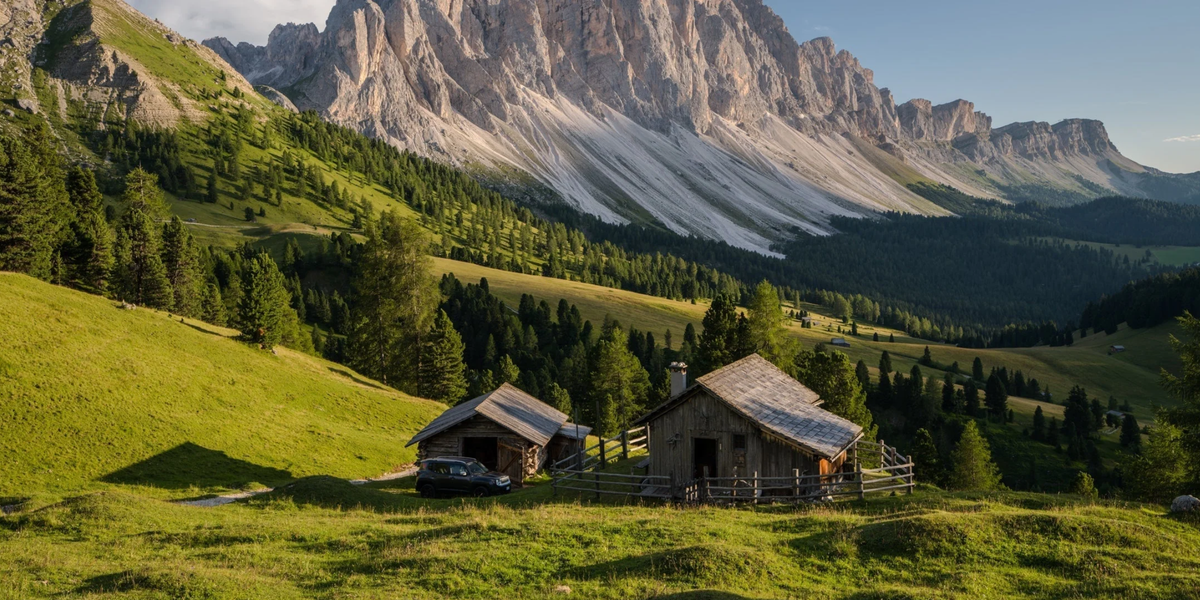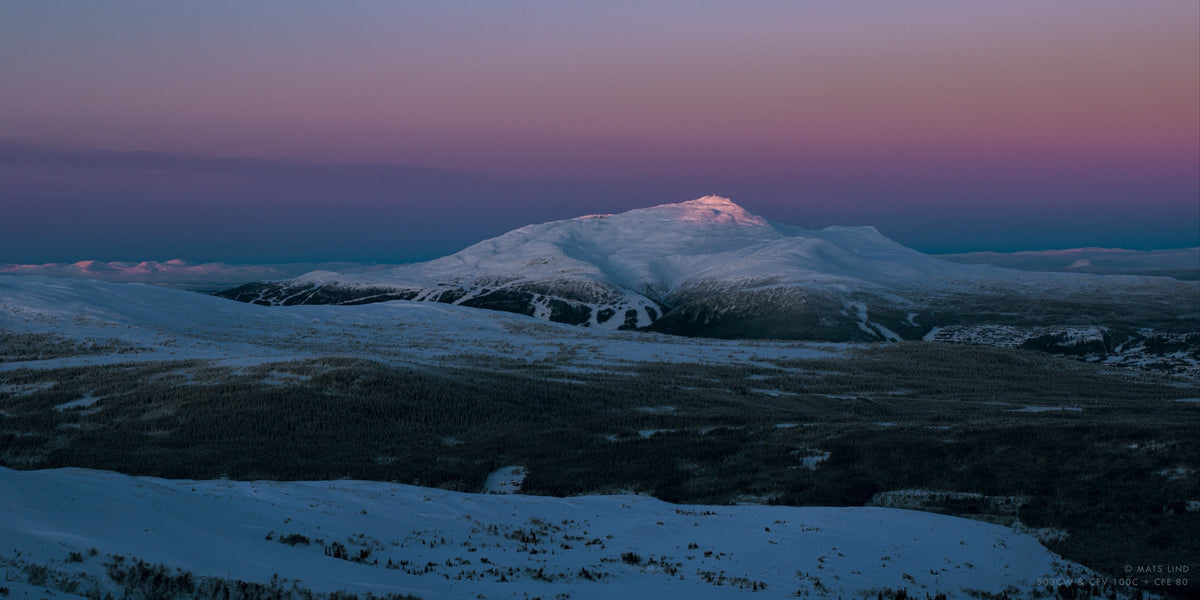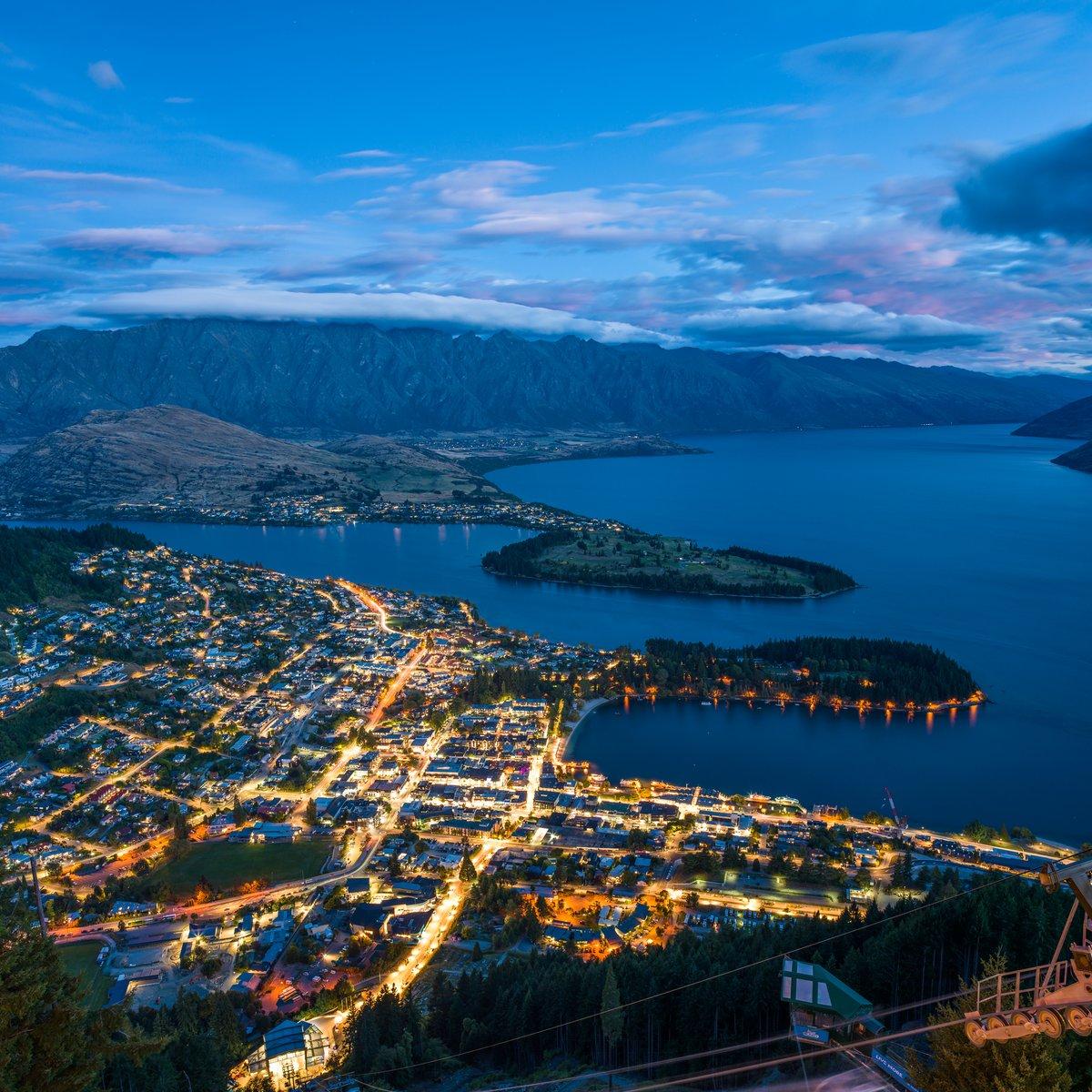
A landscape photograph reveals itself differently in print. From across a room, the viewer first notices light, structure, and atmosphere. At close range, smaller elements emerge: distant trees, weathered rock, fine snow, and gradual changes in an open sky.
A Hasselblad 100MP image measures 11,656 × 8,742 pixels. That resolution supports gallery-scale printing, substantial cropping, and close viewing while preserving the relationships within the original scene.
The final print also depends on lens performance, focus, camera stability, exposure, file preparation, print medium, and viewing distance. High resolution provides the foundation; the rest of the workflow determines how much of it reaches the paper.
How a 100MP File Translates Into Print Size
A 100MP image measuring 11,656 × 8,742 pixels can be printed at approximately 38.9 × 29.1 inches at 300 PPI without upscaling.
The calculation is straightforward:
Pixel dimensions ÷ output resolution in PPI = print dimensions in inches
Higher PPI is generally suited to work viewed closely. Larger prints intended to be seen from farther away can use a lower PPI while remaining visually detailed at their expected viewing distance.
What Resolution Is 100MP?
A 100MP image contains approximately 100 million pixels.
On a Hasselblad 100MP sensor, those pixels form an 11,656 × 8,742 image with a native 4:3 aspect ratio. The exact pixel dimensions, rather than the megapixel label alone, determine the available print size at a given resolution.
The 4:3 frame also offers generous vertical space. It can be adapted to traditional print ratios, tall compositions, or panoramic crops without immediately placing severe limits on output size.
How Big Can You Print a 100MP Photo?
At 300 PPI, a full-resolution Hasselblad 100MP file prints at approximately 38.9 × 29.1 inches. Lower resolutions allow the same image to be printed at a larger physical scale.
|
Output resolution |
Approximate native print size |
Typical application |
|
300 PPI |
38.9 × 29.1 in |
Fine-art prints viewed closely |
|
240 PPI |
48.6 × 36.4 in |
High-quality large prints |
|
200 PPI |
58.3 × 43.7 in |
Display prints viewed from a moderate distance |
|
150 PPI |
77.7 × 58.3 in |
Wall-scale work viewed from farther away |
A 16 × 20-inch print at 300 PPI requires approximately 29 million pixels. Starting with 100MP leaves considerable room to crop while retaining enough resolution for detailed output at that size.
Actual print dimensions should also account for the crop ratio, printing method, paper surface, output sharpening, and viewing environment.
How 100MP Preserves Fine Detail at Large Sizes
High resolution becomes especially valuable in landscapes containing complex natural textures.
Distant foliage remains more clearly separated instead of merging into a soft area. Fine branches, stone, water, sand, and snow retain their individual structure. Along a distant ridge, small variations in shape and light remain visible as the photograph is enlarged.
This allows one print to work at different viewing distances. From farther away, the composition remains unified. As the viewer moves closer, the image continues to reveal meaningful detail.
Tonal continuity is equally important. Hasselblad 100MP cameras record 16-bit color, helping preserve subtle transitions in skies, morning haze, reflected light, and areas where illuminated terrain moves gradually into shadow.
These differences may appear restrained on a screen. At large print sizes, they become part of the physical presence of the image.

@Xu-Ning
How 100MP Changes Cropping for Large Prints
A 100MP source file gives the photographer greater freedom to refine the composition after capture.
A wide view can become a panorama. A distant peak can be isolated as the primary subject. A horizontal frame can be reworked into a vertical composition while retaining enough information for a substantial print.
This flexibility can also influence decisions in the field. Composing slightly wider preserves options when the final print ratio or exhibition format has not yet been determined.
Cropping always reduces the total pixel count. The advantage of beginning with 100MP is that a significantly cropped image may still support a detailed, large-scale output.
How PPI and Viewing Distance Affect Print Quality
PPI should always be considered in relation to viewing distance.
A fine-art print examined from close range requires more pixel density than a wall-scale piece viewed from several feet away. At a greater distance, the eye reads the overall composition before individual surface details.
As a practical reference:
-
300 PPI suits fine-art prints intended for close inspection.
-
240 PPI provides excellent quality for large photographic prints.
-
200 PPI works well for larger pieces viewed from a moderate distance.
-
150 PPI can be appropriate for wall-scale displays seen from farther away.
These figures are guidelines rather than fixed quality thresholds. Subject matter, paper texture, printing method, sharpening, and lighting conditions all affect the perceived result.
The file should be prepared for the way the print will be viewed, rather than judged only at 100% magnification on a monitor.
Do You Always Need 100MP for a Large Print?
Not every print will reveal the full benefit of 100MP. The difference becomes clearer as the print grows, the crop becomes deeper, the subject contains more intricate detail, or the viewer moves closer.
|
Print situation |
How the benefit of 100MP typically appears |
|
Web and screen viewing |
Resolution is rarely the limiting factor |
|
Small prints |
The difference is often subtle |
|
16 × 20-inch prints |
Benefits depend on cropping and viewing distance |
|
24 × 36-inch prints |
Fine detail becomes easier to appreciate |
|
Large wall prints |
Additional resolution supports scale and texture |
|
Heavy crop combined with a large print |
The advantage becomes substantial |
|
Fine-art print viewed closely |
Detail, edges, and tonal continuity are most visible |
Lower-resolution cameras can produce excellent prints. A 100MP system becomes particularly useful when the same photograph must support large dimensions, close inspection, complex textures, and significant reframing.
Why Enlarging a Smaller File Is Not the Same as Native 100MP
Upscaling software enlarges an image by estimating pixels that were not present in the original file. Modern tools can work convincingly with smooth skies, simple forms, and low-texture areas.
Complex natural subjects are more demanding. Tangled foliage, bark, rippling water, irregular rock, and distant edges contain fine information that cannot be fully recreated after capture.
A native 100MP image begins with more optical detail. Upscaling may still be useful for especially large output, but it works best when extending a strong source file rather than replacing information that was never recorded.
What Determines Whether 100MP Reaches the Print
Every stage between capture and printing affects how much detail survives.
Lens Performance
A lens with strong resolution across the frame allows the sensor to record useful detail from the center to the edges. Optical softness will limit the final result regardless of pixel count.
Accurate Focus
Small focusing errors become more visible as the print grows. Careful focus placement is particularly important in scenes containing several layers of depth.
Stable Capture
Camera movement reduces fine detail. A tripod remains valuable for deliberate landscape work, while effective in-body stabilization supports handheld shooting and changing light.
Aperture Choice
The ideal aperture depends on the lens and composition. A range around f/5.6 to f/11 often balances depth of field and resolving performance. At very small apertures, diffraction can soften fine detail.
Exposure and Tonal Control
Accurate exposure helps preserve highlight and shadow information in scenes containing bright skies, reflective water, and shaded foregrounds.
Output Sharpening
Sharpening should be matched to the final size and print medium. The objective is to support natural edge definition without making foliage, rock, or other textures appear brittle.
Print Size and Viewing Distance
Extra resolution becomes meaningful only when the size and viewing conditions allow the viewer to see it. A small print or distant display may not reveal the full difference.

@Hong Hua Shi
How to Prepare a 100MP File for Large-Format Printing
A successful print begins with a clear understanding of its final size, surface, and viewing environment.
-
Define the final dimensions and print medium. Paper texture and printing method influence resolution and sharpening decisions.
-
Select an appropriate output PPI. Match it to the print size and expected viewing distance.
-
Complete the crop before resizing. Refine the composition while the image retains its full native information.
-
Inspect the details that carry the photograph. Review foliage, water, rock, snow, distant structures, and other important textures.
-
Check the edges and corners. Lens softness, field curvature, movement, and focus errors often appear there first.
-
Refine tone and color for paper. Shadows, highlights, and restrained colors reproduce differently on a reflective print than on a luminous screen.
-
Apply output-specific sharpening. Sharpen for the finished dimensions rather than for monitor viewing.
-
Follow the print lab’s export requirements. Use the requested file type, bit depth, color space, and compression settings.
The processing should support the image without drawing attention to itself. Natural texture, atmosphere, and tonal relationships should remain intact in the finished print.
Is JPEG or PNG Better for Large Prints?
For photographic printing, a 16-bit TIFF or high-quality JPEG is usually preferable to PNG.
TIFF retains extensive image data and suits fine-art workflows that support high bit depth and large files. A carefully exported JPEG can also produce excellent results when the print provider requests it.
PNG is primarily intended for graphics, interface assets, and images requiring transparency. It is not commonly used as the preferred delivery format for large photographic prints.
Always follow the lab’s requirements for file format, color space, embedded profile, and bit depth.
Hasselblad 100MP Options for Large Landscape Printing
Hasselblad offers two distinct approaches to 100MP medium format landscape photography.
The X2D II 100C is an integrated mirrorless system designed for mobility, handheld precision, and changing conditions. The 907X & CFV 100C offers a modular approach centered on careful framing and system flexibility.
Both use a 43.8 × 32.9mm BSI CMOS sensor with 100MP resolution, 16-bit color, and Hasselblad Natural Colour Solution. Together, these characteristics support detailed capture, nuanced color separation, and smooth tonal transitions at large print sizes.
A 100MP Setup for High-Detail Landscape Prints
The X2D II 100C paired with the XCD 2,8-4/35-100E gives landscape photographers the flexibility to respond to changing light and distance without sacrificing the resolution required for large output.
The X2D II 100C records 100MP images with 16-bit color depth, representing approximately 281 trillion colors. Five-axis, 10-stop in-body image stabilization supports handheld and low-light capture, while HNCS HDR helps preserve natural color and tonal relationships in high-contrast scenes.
[cta: https://store-na.hasselblad.com/products/x2d-ii-100c]
The XCD 2,8-4/35-100E moves from wide-angle to medium-telephoto perspectives within one lens. A photographer can establish the scale of a location, isolate light on a distant ridge, or compress layers of land and atmosphere without interrupting the moment to change lenses.
The combination brings high-resolution medium format capture into a system suited to both deliberate compositions and changing conditions beyond the studio.
[cta: https://store-na.hasselblad.com/products/xcd-2-8-4-35-100e]
A Modular 100MP Option for Deliberate Landscape Work
The 907X & CFV 100C offers a modular way to approach the landscape.
Its form supports careful placement, close observation, and an uncluttered composition process. The 100MP sensor, 16-bit color, and 15 stops of dynamic range provide the image information needed for detailed fine-art printing, while the design connects contemporary digital capture with Hasselblad’s modular heritage.
It is particularly well suited to tripod-based projects, considered image sequences, and work intended for exhibitions or carefully produced prints.
[cta: https://store-na.hasselblad.com/products/907x-cfv-100c]
Common Questions About 100MP Landscape Prints
How many megapixels do I need for a 16 × 20-inch print?
A 16 × 20-inch print at 300 PPI requires approximately 29 megapixels. A 100MP source leaves substantial room for cropping while retaining sufficient resolution for detailed output at that size.
Does a 100MP file require more storage and a faster computer?
Yes. High-resolution RAW files require more storage and benefit from a capable processor, sufficient memory, and fast working drives. A planned archive and backup system will keep the workflow efficient.
Can I print a 100MP image larger than its 300 PPI size?
Yes. A full-resolution Hasselblad 100MP file can exceed approximately 38.9 × 29.1 inches when printed below 300 PPI. Lower output resolutions are appropriate for larger work viewed from farther away.
Is a 108MP sensor better than a 100MP medium format sensor?
Not on pixel count alone. Sensor dimensions, pixel design, lens performance, color depth, dynamic range, processing, and shooting technique all influence the result. A larger megapixel figure on a smaller sensor does not automatically provide more usable print detail.
What megapixel count is suitable for landscape photography?
The required resolution depends on the final output. Around 24–45MP is sufficient for many prints and digital applications. A 100MP system becomes especially valuable for large fine-art prints, substantial cropping, intricate natural textures, and work intended for close viewing.